¶ High Speed BLDC Control Solution
¶ ℹ️ Introduction to the Board
The High-Speed BLDC Motor Control Solution (CN024-3) is an advanced reference design specifically developed for high-speed brushless DC (BLDC) motor applications, delivering exceptional efficiency and precise control. Built on Renesas microcontrollers, it integrates a combination of hardware and software optimized for use in applications such as electric tools, drones, and small appliances. This solution offers comprehensive system-level design support, including motor control algorithms, a motor workbench, an MCU board, and an inverter board, helping customers overcome design challenges and accelerate time-to-market.
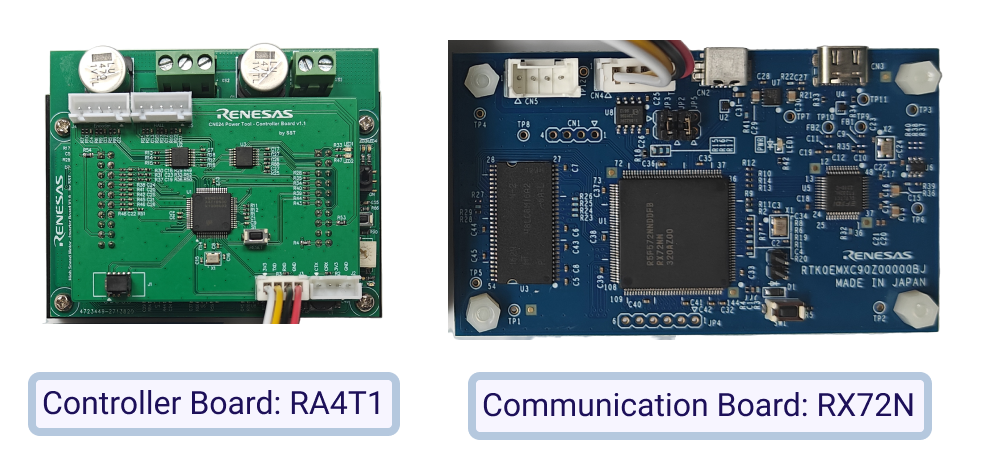
¶ 💡 Lab Setup Hardware
- Controller Board: RA4T1.
- Inverter Board.
- High-speed BLDC motor.
- Communication Board: RX72N group.
¶ 💡 Board Features
- Full range speed closed loop control.
- High load carrying capacity at low speeds.
- Fast and smooth switching between HFI and Flux Observer.
- Excellent acceleration performance with heavy loads.
- Field weakening control.
- Float point unit (FPU) is enabled, full floating-point operations.
¶ 📝 Steps to Evaluate the Design
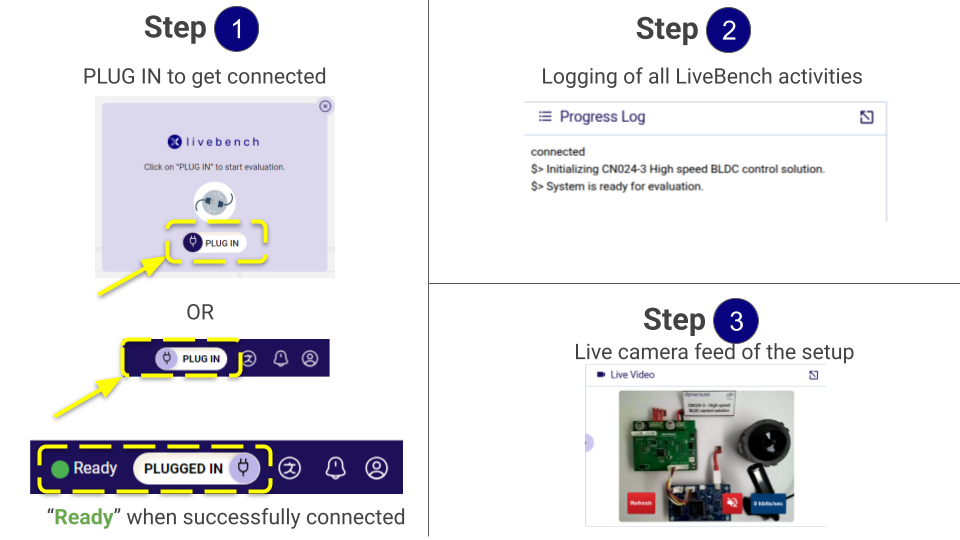
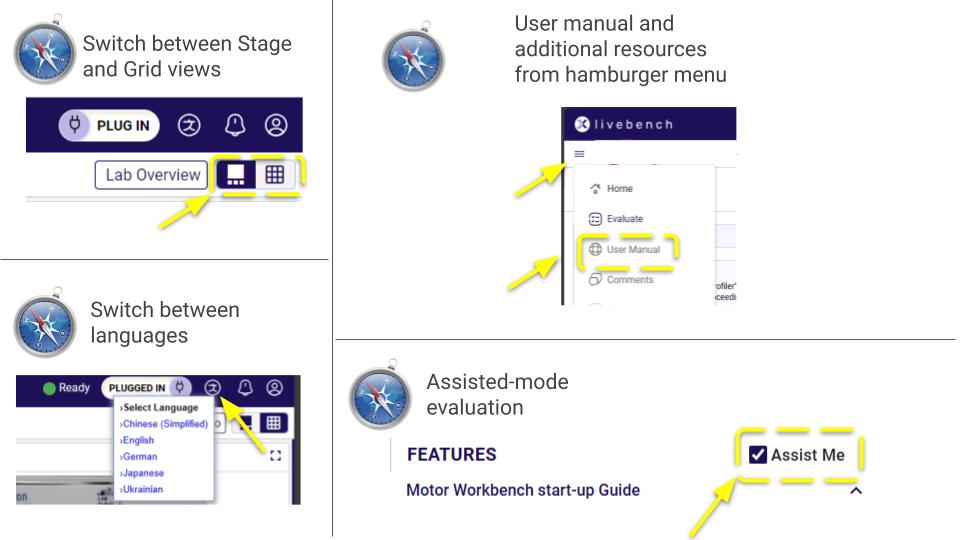
¶ 📝 How to use the Renesas motor workbench?
Launch Workbench 3.1
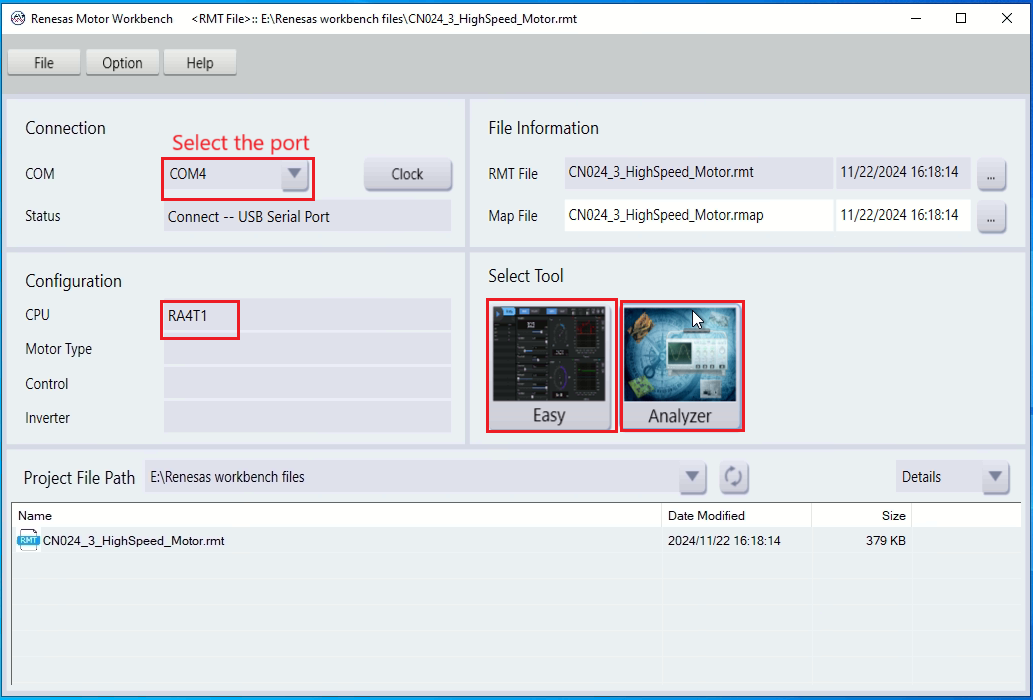
In main window, import the RMT and Map files.
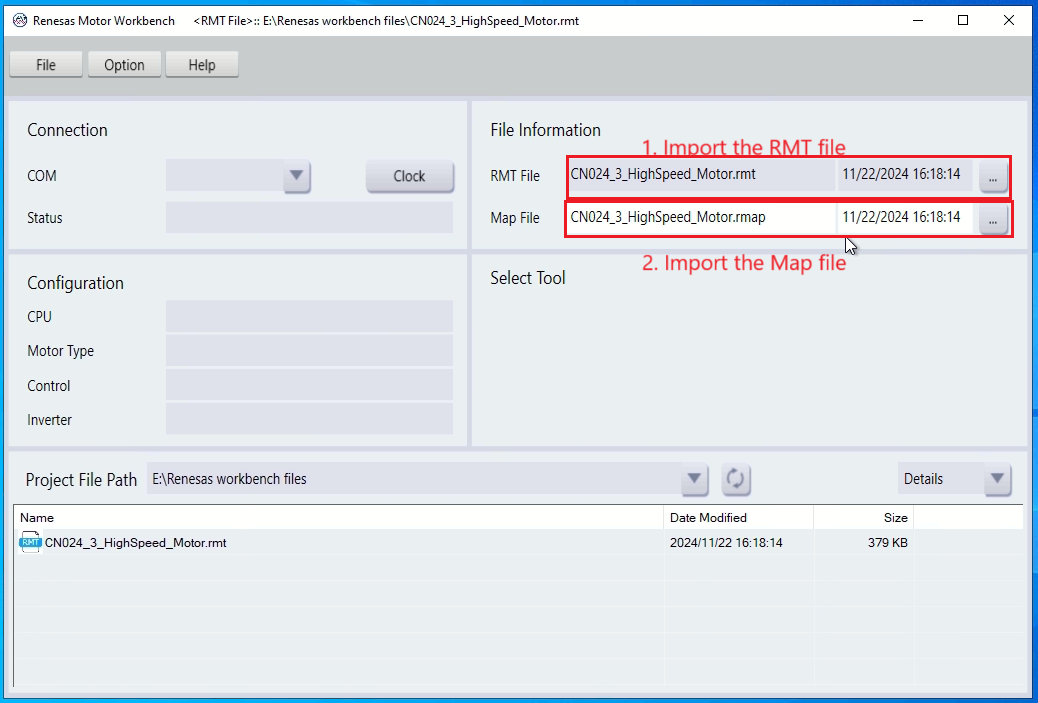
In main window, select the corresponding COM port that has connected with the control board, if the UART communication is normal, “RA4T1” will appear in CPU column, “Easy” and “Analyzer” tool will also appear under “Select Tool”.
Easy Tool
In main window, click the “Easy” tool to enter the “Easy” tool interface.
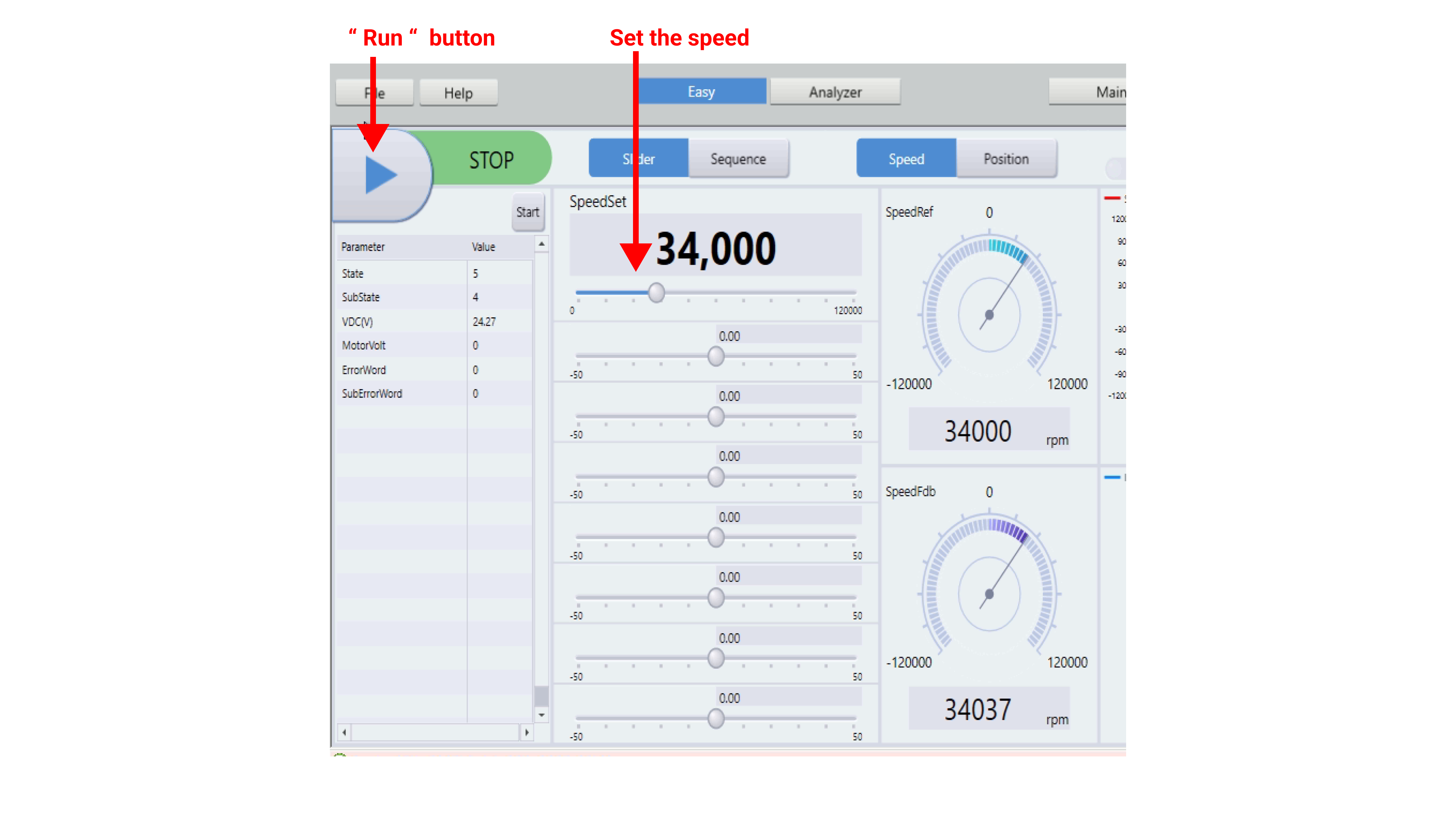
- Run the Motor and Set Speed.
Click the Run button and set the speed (max. 100,000 rpm , min. 20000 rpm).
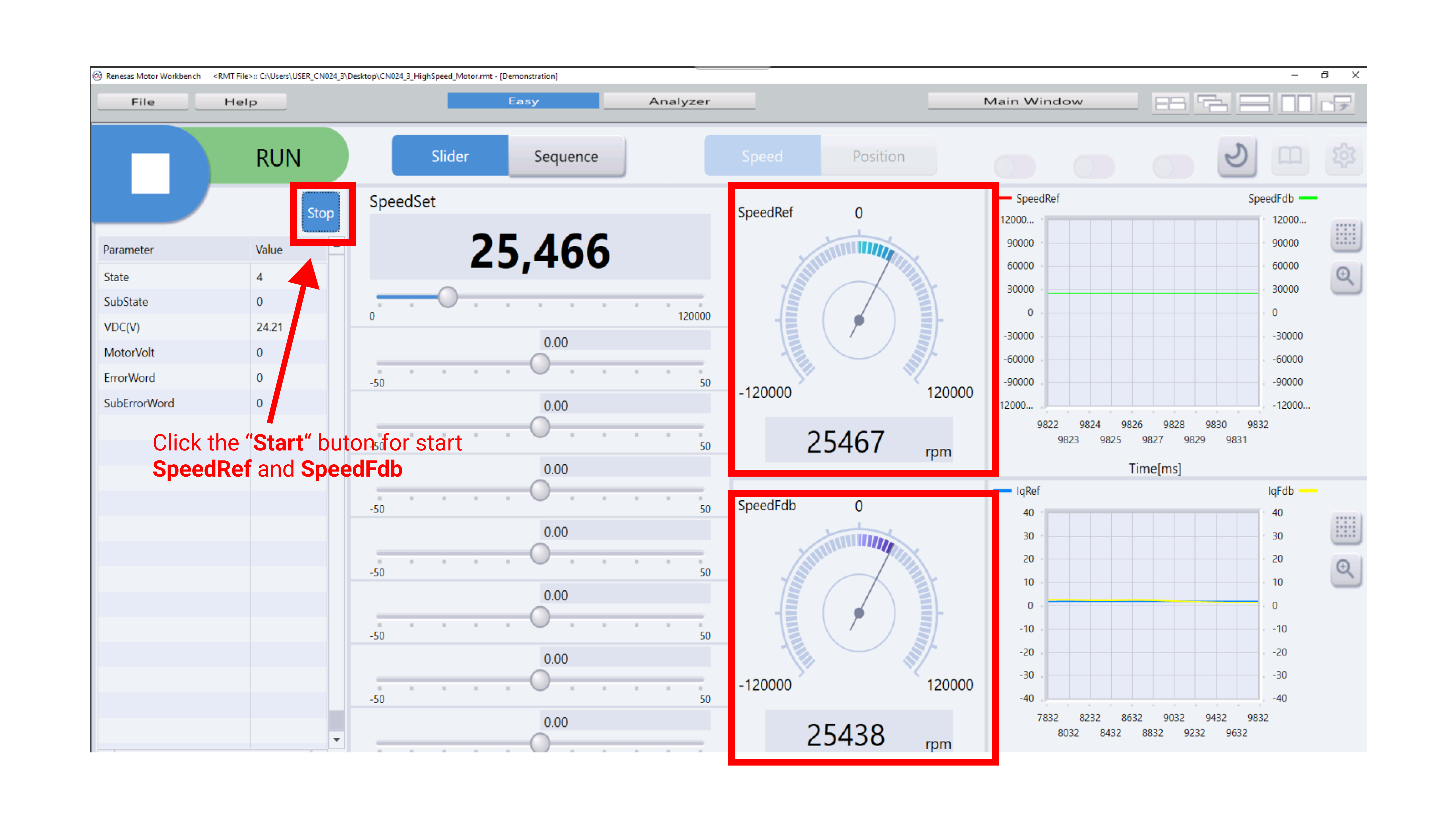
- To start speedRef and speedFdb.
Click the Start button to see the SpeedRef and SpeedFdb RPM
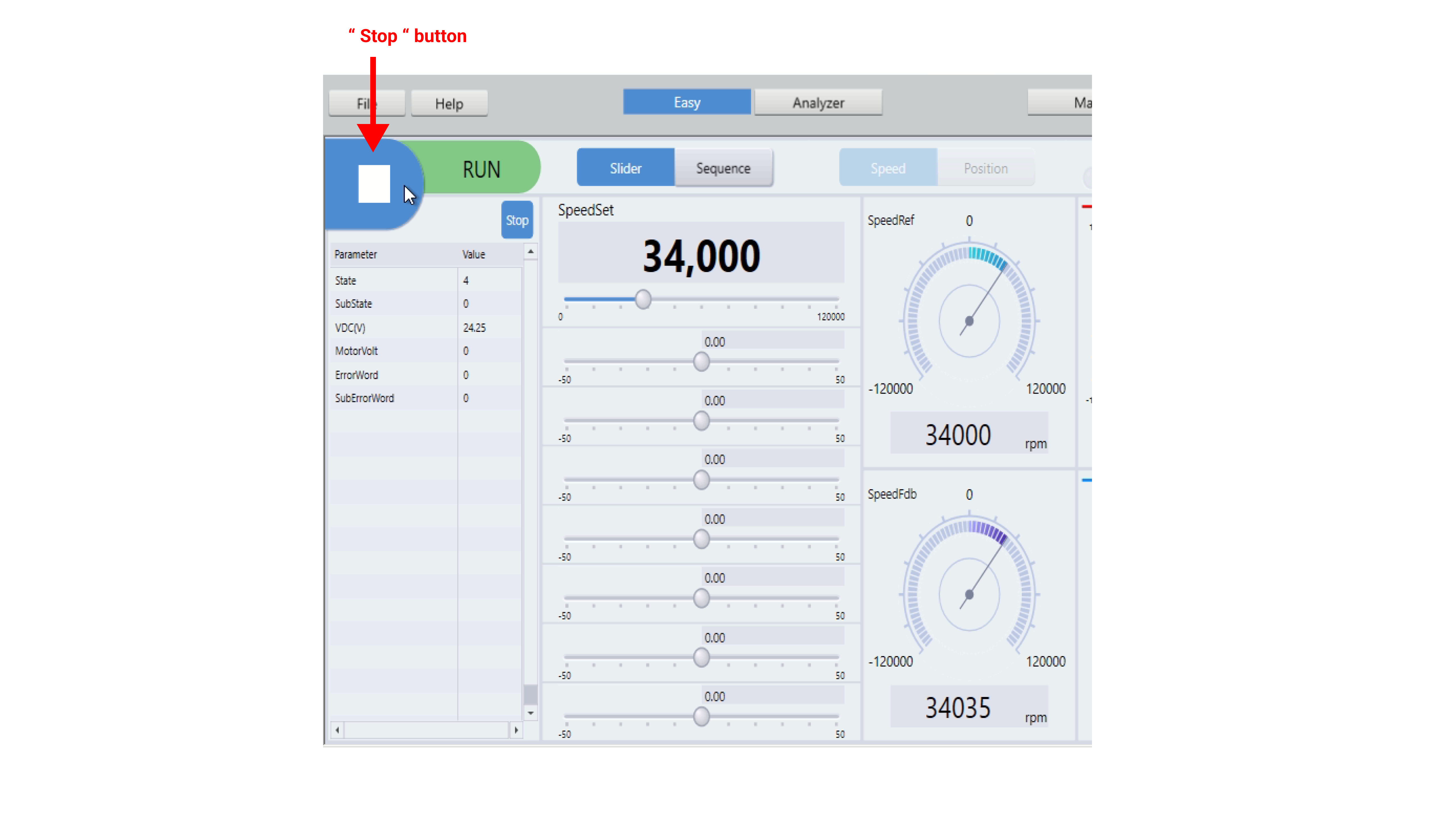
- Stop the Motor.
Click the Stop button
Analyzer Tool
In main window, click the “Analyzer” tool to enter the “Analyzer” tool interface
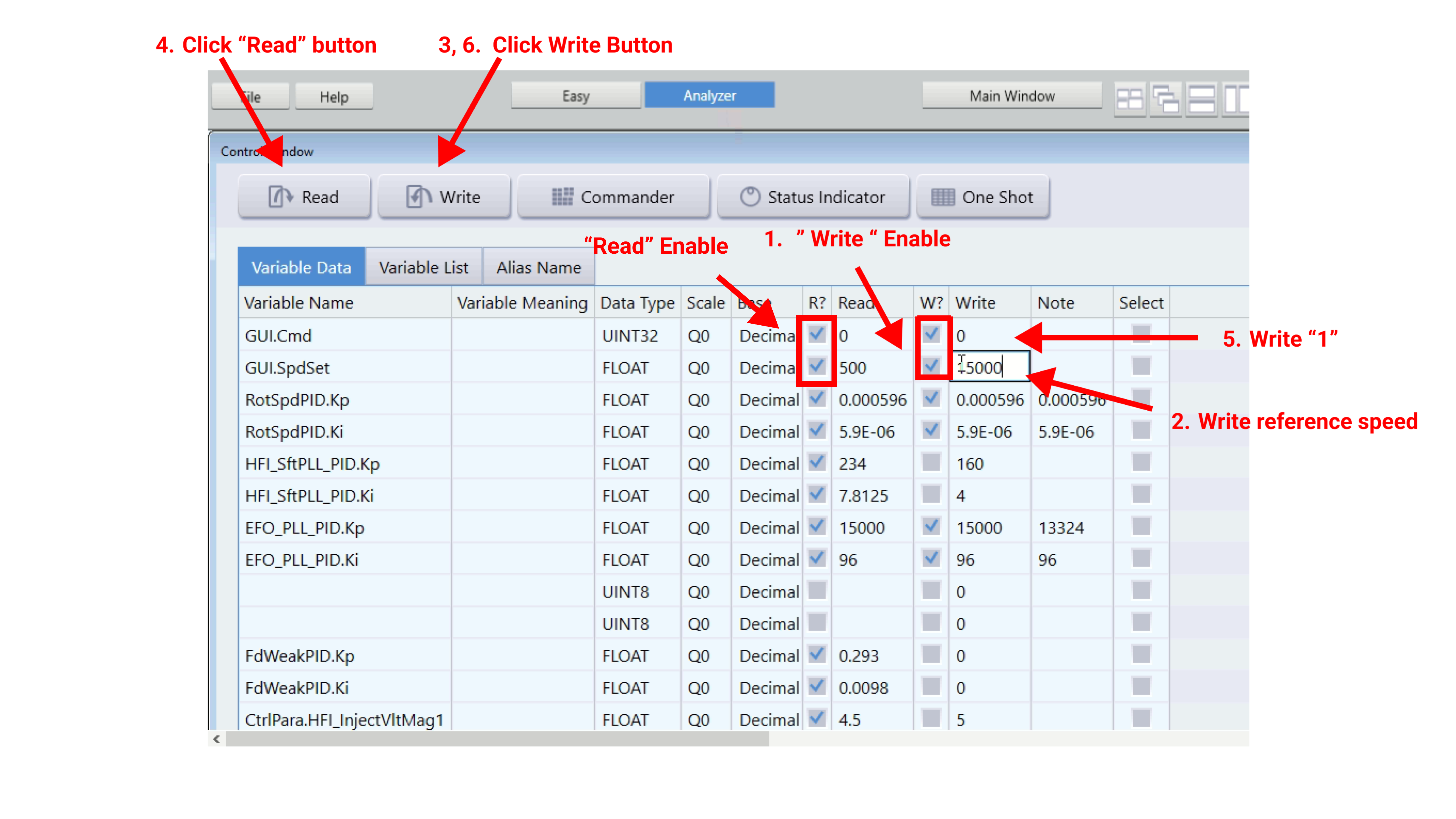
- Run the Motor and Set Speed
- Check the [W?] and [R?] columns of the “GUI.Cmd” and “GUI.SpdSet” variables.
- Set a reference speed value (max. 100,000 rpm) in the [Write] column of “GUI.SpdSet” variable;
- Click the “Write” button.
- Click the “Read” button. Confirm the [Read] column value of “GUI.SpdSet” variable;
- Enter “1” in the [Write] column of “GUI.Cmd” variable;
- Click the “Write” button.
- Motor runs.
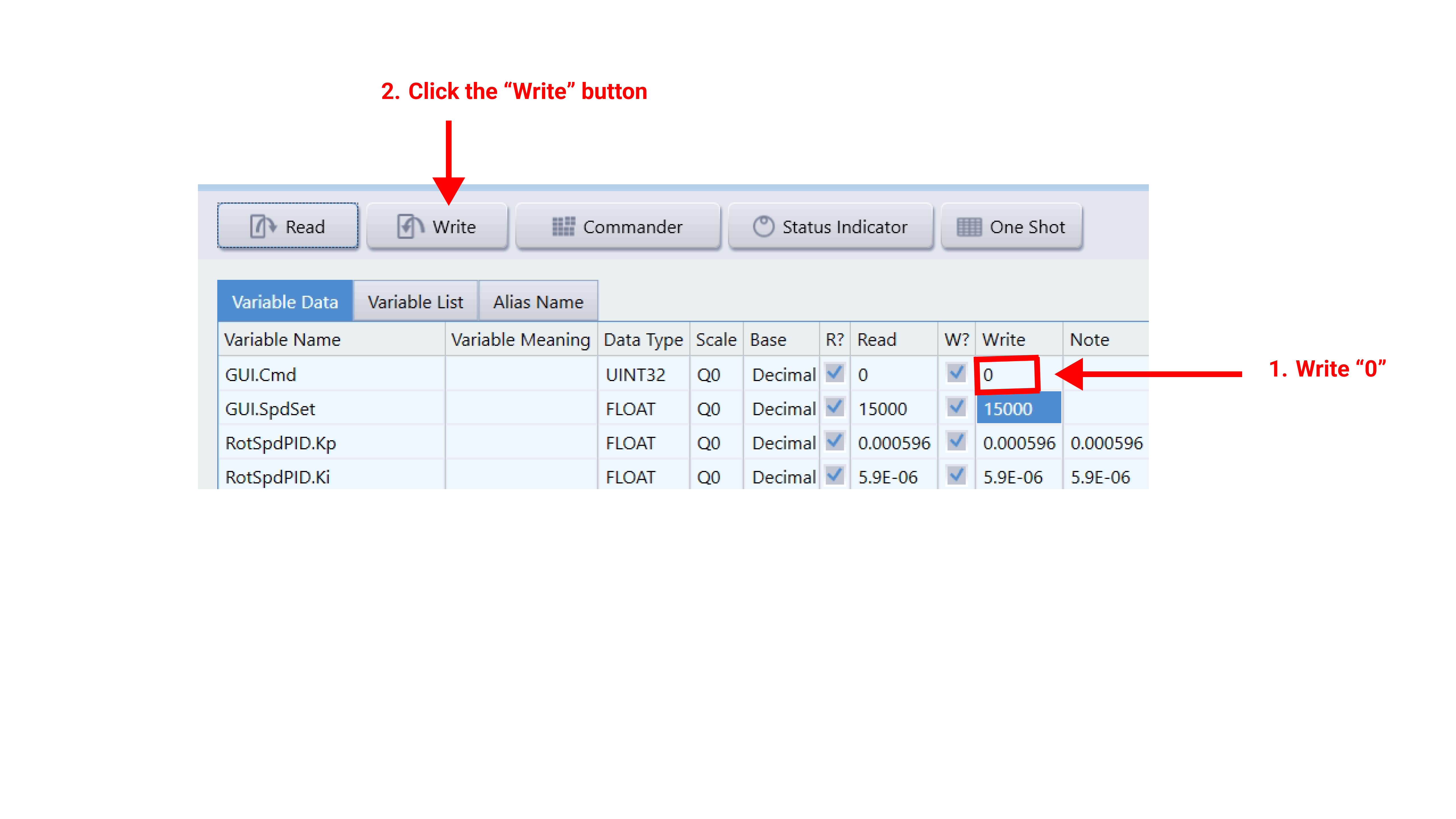
- Stop the Motor
- Set “ 0 ” in the [Write] column of “GUI.Cmd” variable;
- Click the “Write” button.
- Motor stops.
¶ 📑 Frequently Ask Questions
Q1:What tools are used for motor control?
Ans: The Renesas Motor Workbench 3.1 is used for configuring and controlling the motor via UART communication.
Q2:How do I adjust motor speed manually?
Ans: Use the variable resistor (VR1) on the inverter board or adjust the speed by Motor Workbench.